

27
MayMobile Notary in Ontario: Get Help Fast in 2026
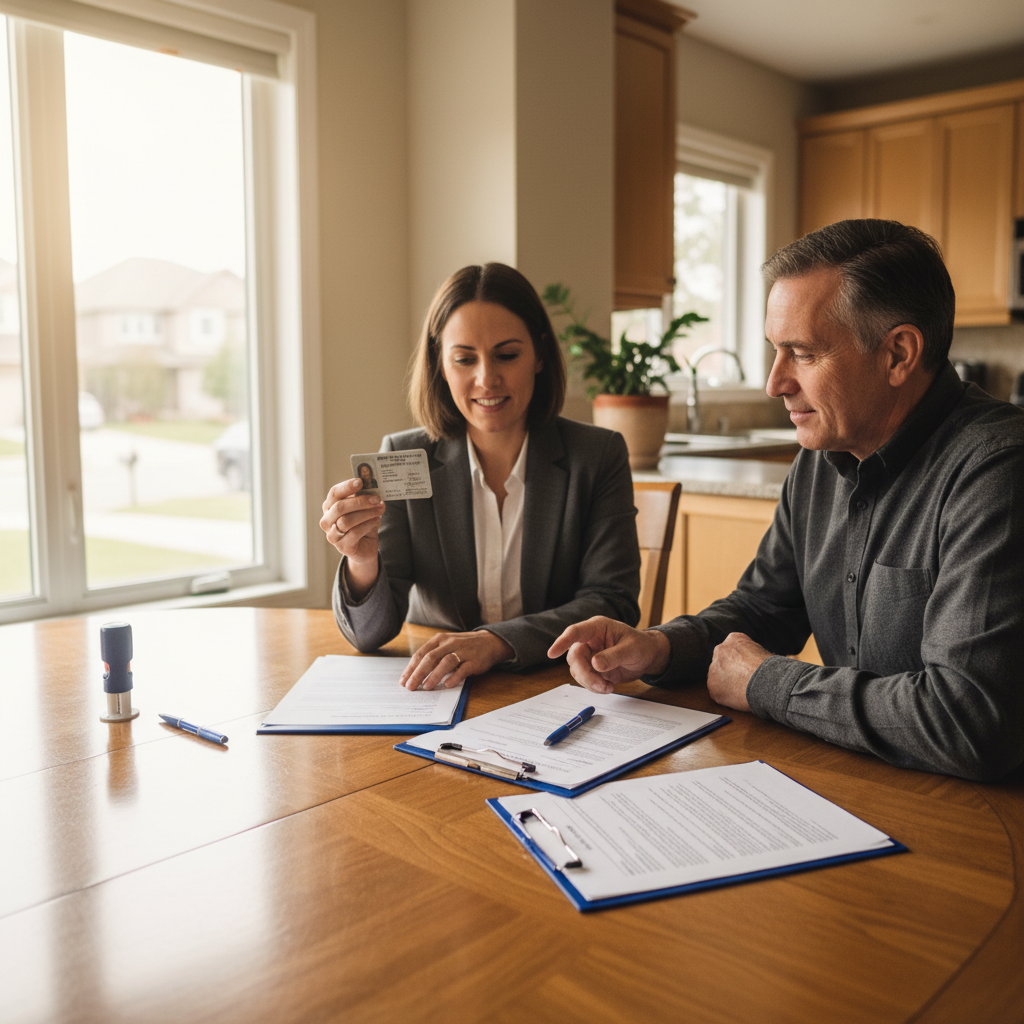
Mobile notary services are on-demand notarial appointments where a licensed notary travels to your home, office, or agreed location to witness signatures, verify identity, and apply a notarial seal. For clients near 2250 Bovaird Dr E #106 in Brampton, this service brings the notary to you—ideal for affidavits, statutory declarations, certified copies, and consent letters.
By Kapil Rathod • Last updated: 2026-06-05
Overview
A mobile notary comes to you to verify identity, witness signatures, and notarize documents at home, work, hospitals, or public places. It’s the same legal act as in-office notarization, but with flexible scheduling and location convenience—perfect for time-sensitive affidavits, immigration forms, and family travel consents.
Here’s what you’ll get in this complete, practical guide tailored to Brampton and Ontario residents.
- Clear definition of mobile notary services and when to use them
- Ontario-specific steps, ID rules, and what to prepare
- Document types we commonly notarize on the go
- Side-by-side comparisons: notary vs. commissioner; mobile vs. in-office
- Local considerations around Brampton and the Regional Municipality of Peel
- Checklists, best practices, and a quick booking workflow
What Are Mobile Notary Services?
Mobile notary services are professional notarial acts performed at your location instead of a notary’s office. The notary verifies identity, witnesses signatures, and applies a seal to affidavits, statutory declarations, consent letters, and certified copies—bringing the same legal effect with added convenience.
Mobile notaries perform the same core functions you’d expect at a law office—identity verification, witnessing, and completing notarial certificates—but at the place and time that work for you.
- Core purpose: Verify identity and willingness, prevent fraud, and formalize documents for official use.
- Where it helps most: When mobility, time, or confidentiality make travel to a law office impractical.
- Who benefits: Parents preparing travel consent letters, newcomers finalizing immigration affidavits, motorists dealing with ticket-related affidavits, and anyone needing certified true copies.
At Rathod Law Firm in Brampton, our in-office notary service is complemented by flexible, on-the-go appointments for clients who prefer not to travel or who need urgent signing windows.
Why Mobile Notary Matters for Brampton and Ontario Families
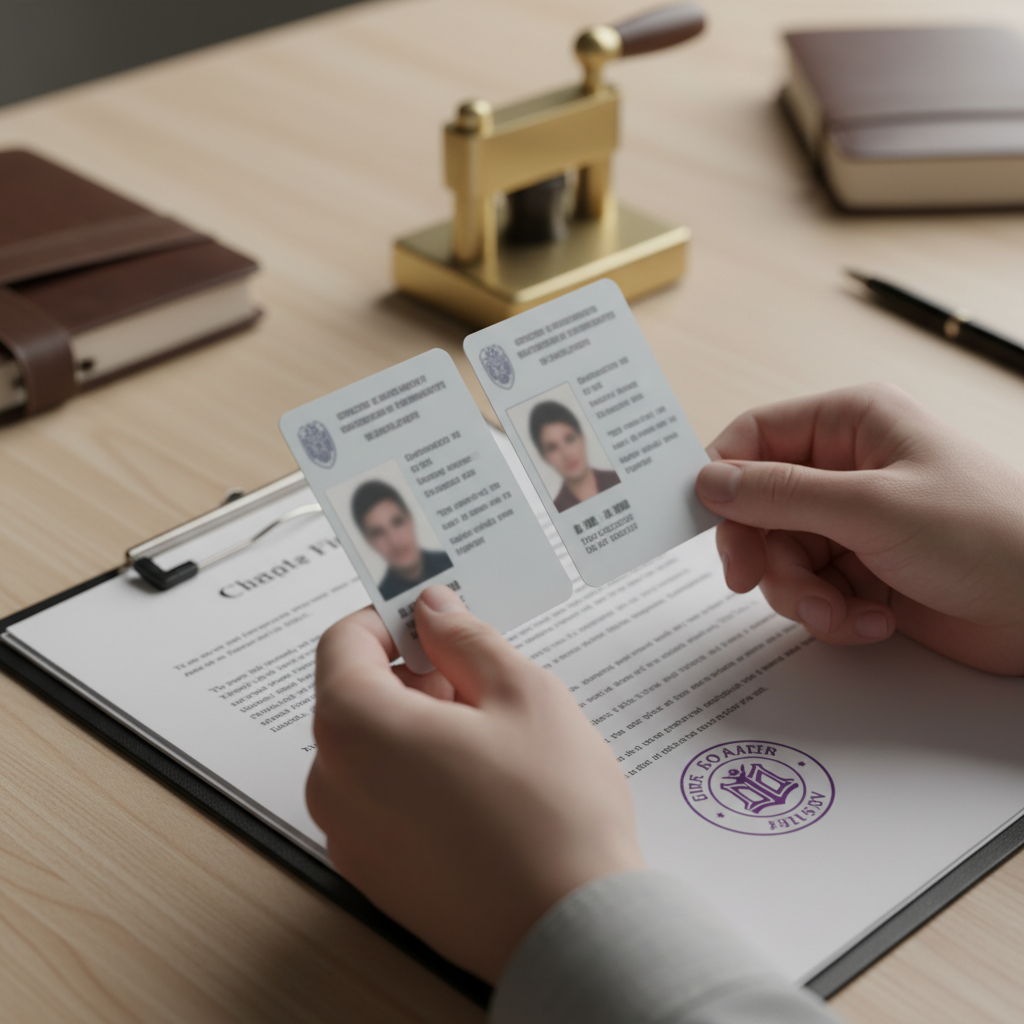
Mobile notarization saves trips, shortens turnaround, and reduces coordination headaches. For Brampton residents balancing work, family, or health needs, a traveling notary ensures signatures are witnessed correctly the first time—helping avoid rejected forms, rescheduling, and missed deadlines.
Legal forms are often time-sensitive. Miss a signing window and you may lose a travel date, delay a school start, or push back an immigration milestone. That’s why convenience matters.
- Fewer logistics: No commuting or parking puzzles—especially helpful for multi-signer documents.
- Right-first-time documents: A trained notary checks ID, names, dates, and certificate language before anyone signs.
- Privacy control: Sign at home, a quiet office, or a nearby neutral spot—whatever fits your comfort and schedule.
- Accessibility: Ideal for seniors, new parents, and people recovering at home or visiting loved ones in care settings.
We see the biggest benefits with immigration affidavits, family travel consents, and certified copies of IDs, diplomas, and translations used for official applications.
How Mobile Notary Works in Ontario (Step-by-Step)
Book a time and place, share the document, prepare valid photo ID, and keep signatures blank until the notary arrives. The notary verifies identity, witnesses signing, and completes the notarial certificate. You receive originals, and optional certified copies if needed.
Here’s a simple, Ontario-focused workflow our Brampton clients rely on.
- Request: Tell us what you need notarized and who must sign.
- Review: We confirm the document type (affidavit, declaration, consent letter, certified copy) and advise on ID and witnesses.
- Schedule: Choose a location—home, workplace, a public lobby, or near 2250 Bovaird Dr E #106.
- Prepare: Bring valid, government-issued photo ID; leave signature and date lines blank until we arrive.
- Verify: We check identity and willingness, then supervise signing.
- Complete: We finalize the notarial certificate and apply the seal; certified copies are produced if requested.
- Follow-up: Store originals safely and send scans to agencies or counsel as directed.
Local considerations for Ontario
- If meeting near Professor's Lake Park, pick a well-lit spot with seating to make ID checks smooth.
- Winter evenings get dark quickly; plan indoor lobbies or your home to keep signatures legible and comfortable.
- Transit users can meet close to the Brampton Civic Hospital - Zum Bovaird Stop WB for easy access without parking.
Common Documents We Notarize On the Go
The most frequent mobile notary requests include affidavits, statutory declarations, certified true copies, child travel consent letters, invitation letters, and application-related forms for immigration, school, employment, and small claims matters in Ontario.
We regularly support clients with documents used across immigration, family, traffic, and small-claims workflows. Examples below are based on real use-cases our Brampton clients bring to mobile appointments.
- Affidavits for immigration, family law, or traffic matters (e.g., sworn statements supporting an application or defense).
- Statutory declarations to confirm facts where an affidavit is not required by statute.
- Certified true copies of passports, PR cards, driver’s licenses, diplomas, and translations.
- Child travel consent letters signed by a non-traveling parent or guardian.
- Invitation letters for visitors documenting relationship and support details.
- Small claims and administrative forms that benefit from notarized statements or certified attachments.
For immigration-related filings, we also see declarations confirming name variations, translation accuracy, or custody arrangements when a minor’s application is involved.
ID Rules, Witnesses, and What to Bring
Bring valid, government-issued photo ID bearing your name and signature. Keep documents unsigned until the notary arrives. If a form requires additional witnesses, we’ll clarify options and whether we can provide a neutral witness during a mobile visit.
Identity verification is the heart of notarization. The document’s legal value relies on correctly confirming who signed and that they acted willingly and understood the document.
- Acceptable ID: Government-issued photo ID such as a driver’s license or passport; a second piece is helpful if names vary.
- Name match: Ensure ID spelling aligns with the document; bring supporting records if there’s a known variance.
- Unsigned on arrival: Sign only in front of the notary; pre-signed forms may require re-execution.
- Capacity and willingness: Signers must appear alert and not under undue pressure.
- Witnesses: Some forms need independent witnesses beyond the notary; we’ll discuss when booking.
Tip: For multi-signer documents, have each signer’s ID ready and placed on a separate corner of the table. It speeds up verification and reduces mix-ups.
Mobile vs. In-Office Notarization (And Commissioner vs. Notary)
Mobile and in-office notarizations have the same legal effect. Choose mobile for convenience, multi-signer logistics, or accessibility. Notaries can certify copies and complete notarial certificates; commissioners can take oaths/affirmations but typically can’t certify true copies.
Understanding the differences helps you book the right service the first time.
| Service/Setting | Key Role | When It Fits Best | What to Remember |
|---|---|---|---|
| Mobile Notary | Notary travels to you | Home/office signings, hospital or elder care, multi-signer | Prepare IDs; pick a quiet, well-lit space for clear signatures |
| In-Office Notary | Sign at our Brampton office | Simple, single-signer tasks near 2250 Bovaird Dr E #106 | Bring original IDs and unsigned documents |
| Commissioner for Oaths | Administers oaths/affirmations | Affidavits/declarations where certification of copies isn’t needed | Usually cannot certify true copies or complete notarial certificates |
| Lawyer-Notary | Lawyer acting as notary public | When you may also need legal guidance alongside notarization | Helpful for immigration, family, and small-claims-related questions |
If you’re unsure whether a notary or commissioner is needed, share the form or instructions. We’ll recommend the fit based on the destination agency’s expectations.

When to Choose Mobile Notary Over Remote or In-Office
Choose mobile when original ID must be inspected in person, multiple people must sign together, or travel is difficult. Remote options can help for eligible documents, but many agencies still prefer or require in-person notarization.
Mobile notarization shines when logistics or document rules make remote or in-office options less practical.
- Multi-signer packages: Have everyone meet at a single location and time.
- Health or mobility limits: In-home signings reduce stress for seniors or new parents.
- Time-critical filings: Coordinating at your workplace can keep projects moving.
- Original ID inspection: Some receiving bodies will only accept in‑person ID verification.
Ask your receiving agency whether a remotely witnessed signature is acceptable for your specific form. If not, mobile notarization is your fastest path to compliance.
Best Practices to Prevent Rejections
Use the latest version of your form, keep names consistent with ID, sign only in front of the notary, and confirm whether the destination requires a notarial certificate or a commissioner’s jurat. These small checks avoid rework and missed deadlines.
Simple habits reduce friction and the chance of having to re-execute a document.
- Download fresh forms: Agencies update wording; use the newest template before scheduling.
- Match spelling and dates: Align all names and key dates with identification.
- Print clearly: Use black ink; sign within the signature box without overflows.
- Leave blanks unfilled: If guidance is unclear, we’ll flag and help you avoid mistakes during the visit.
- Confirm certificate type: Some documents need a notarial acknowledgment; others a sworn jurat.
- Plan witnesses: If your form requires additional witnesses, identify them ahead of time.
When your document will be used outside Ontario, tell us the destination. Some jurisdictions favor acknowledgments over oaths, and we’ll align the certificate accordingly.
Tools and Resources You Can Use
Before booking, gather your unsigned document, valid photo ID, and any agency instructions. After notarization, scan and store PDFs securely. If you’re new to notarization, review plain-language explainers to understand affidavits, declarations, and commissioner roles.
These references can help you plan smooth signings:
- For a plain-English explainer of notary basics, see this notary basics overview.
- To learn what a statutory declaration is and when it’s used, this statutory declaration guide offers practical examples.
- If you’re unsure about the commissioner role vs. notary, review this commissioner of oaths explainer to understand scope and limitations.
If your document comes from an agency or court, always prioritize that body’s latest instructions. Bring any guidance sheets to your appointment.
Case Studies and Local Examples in Ontario’s Regional Municipality of Peel
In Ontario’s Regional Municipality of Peel, mobile notarization helps families finalize consent letters, newcomers certify copies for immigration, and motorists swear affidavits tied to traffic matters. Meeting at homes, workplaces, or nearby public lobbies speeds up signings without sacrificing compliance.
Here are snapshots from typical Brampton engagements our notary team supports—names and details anonymized for privacy.
- Family travel consent: A parent signed a consent letter at a home near Professor’s Lake before an early-morning flight. IDs were verified and the letter notarized the evening prior.
- Immigration certified copies: A newcomer needed certified copies of a passport and degree to support an application. We met at their workplace, verified ID, and produced sealed certified true copies on-site.
- Traffic ticket affidavit: A motorist prepared a sworn statement supporting a filing related to a ticket. We arranged an after-hours lobby meeting to avoid work disruptions.
- Small claims attachments: A litigant needed a declaration attaching exhibits. We verified identity, ensured exhibits were referenced correctly, and sealed each page as required.
Mobile service reduces back-and-forth, especially when multiple signers or exhibits are involved. The result: documents that meet agency expectations the first time.
Step-by-Step: Booking a Mobile Notary with Our Brampton Team
Share your document type, confirm who’s signing, and propose times and locations. We verify ID requirements, advise on witnesses, and schedule a visit. At the appointment, we supervise signatures and complete the certificate. You leave with originals and, if requested, certified copies.
Our booking process is straightforward and built around your schedule.
- Tell us the task: Affidavit, statutory declaration, consent letter, certified copies, or another notarial need.
- Share signer details: Full names as shown on ID, number of signers, and whether any are minors.
- Pick a time and place: Home, office, public lobby, or near 2250 Bovaird Dr E #106.
- Prepare IDs: Government-issued photo ID for each signer; bring a second ID if names have variations.
- Meet and sign: We verify, witness, and seal. If needed, we create certified copies on-site.
- Store and share: Keep originals safe; email PDFs to agencies if electronic copies are accepted.
How This Connects to Notary Declarations and Broader Legal Needs
Many mobile notarizations involve declarations—formal statements of fact used for immigration, family, and administrative matters. Having a lawyer-notary helps align your declaration’s wording and exhibits with the agency that will rely on it.
Rathod Law Firm routinely prepares and notarizes declarations that support immigration applications, family arrangements, and small-claims filings. Because our practice also includes immigration, traffic, and family law, we understand how declarations, exhibits, and certified copies are reviewed downstream by agencies and courts. That cross-practice view helps avoid avoidable rework or rejections.
- Immigration: Declarations confirming travel history, custody, translation accuracy, or name variations.
- Family: Declarations supporting parenting schedules, travel, or specific arrangements.
- Administrative/Small Claims: Declarations attaching exhibits or confirming service where affidavits/declarations are permitted.
If your declaration is part of a larger matter, let us know. We can coordinate the notarial act with your bigger timeline and filing requirements.
Checklists: What To Do Before, During, and After the Visit
Confirm the document type, gather valid photo ID, and print the newest form. During the visit, sign in front of the notary and verify names and dates. Afterward, store originals and send scans to the receiving agency per its instructions.
Before the visit
- Download the latest version of your form or instructions.
- Print clearly; leave signature and date lines blank.
- Place ID(s) and the document on a clean, flat surface.
- Identify additional witnesses if your form needs them.
During the visit
- Show valid, government-issued photo ID to the notary.
- Sign and initial exactly where indicated while the notary watches.
- Confirm spelling of names and today’s date are correct on all pages.
- Ask for certified true copies if the agency requires them.
After the visit
- Keep originals in a safe place.
- Scan to PDF for your records and electronic submissions.
- Confirm whether the receiving body needs originals mailed or presented in person.
Troubleshooting: Common Issues and How We Resolve Them
Typical issues include expired ID, name mismatches, pre-signed documents, and unclear certificate wording. We help by clarifying requirements, re-executing where permissible, and aligning notarial language with the receiving body’s expectations.
Things happen. Here’s how we tackle the most common hiccups so your forms stay on track.
- Expired or damaged ID: We identify acceptable alternatives or reschedule after renewal.
- Name inconsistencies: We note supporting evidence (e.g., marriage certificate) and ensure the certificate references the correct legal name.
- Pre-signed pages: We re-execute correctly to restore validity where allowed.
- Unclear forms: We liaise with agency guidance or adjust certificate type when appropriate.
Bring any supporting records that explain name changes or variations. It speeds up solutions and prevents repeat visits.
Frequently Asked Questions
These mobile notary FAQs cover ID, witnesses, remote options, and turnaround expectations for Brampton and Ontario clients. For document-specific questions, share the form and any instructions before we schedule.
What ID do I need for a mobile notary visit?
Bring a valid, government-issued photo ID that shows your name and signature—such as a driver’s license or passport. If your name varies across documents, bring a second piece or supporting proof so we can confirm identity without delays.
Can the notary provide additional witnesses?
Some forms require independent witnesses who are not parties to the document. Let us know in advance. We’ll confirm whether neutral witnesses are needed and if we can help arrange them for your specific document.
Should I sign before the mobile notary arrives?
No. Keep signature and date lines blank until the notary is present. We must verify identity, willingness, and understanding, then witness the signing and complete the certificate on the spot.
Is a commissioner of oaths the same as a notary?
They’re different roles. A commissioner can administer oaths and affirmations for affidavits and declarations. A notary public can do that plus certify true copies and complete notarial certificates often required for documents used outside Ontario.
Can I use remote notarization instead of mobile service?
Remote witnessing may be allowed for some documents, but many agencies still require in-person ID inspection or notarization. Check the receiving body’s rules. If they need in‑person, mobile service is the fastest compliant option.
Key Takeaways
Mobile notary services deliver the same legal effect as in-office notarization with unmatched convenience. For Brampton and Ontario clients, it streamlines multi-signer logistics, supports health and mobility needs, and helps meet strict filing timelines without travel.
- Same legal effect as in-office; extra convenience and flexibility.
- Ideal for affidavits, statutory declarations, certified copies, and consents.
- Prepare valid photo ID and keep pages unsigned until we arrive.
- Ask about witnesses, certificate type, and destination requirements.
Conclusion
If you need documents notarized without leaving home or work, mobile notarization is a reliable, compliant solution. In Brampton and across Ontario, our lawyer‑notary team travels to you, verifies identity, and completes certificates so your forms are accepted the first time.
Ready to make paperwork easier? Share your document type, who’s signing, and a convenient location. We’ll coordinate a smooth visit and help you move forward with confidence.